已添加
登录/注册
重新生成
重新生成
用户oCPM9UZl
2026.06.08
做同款
重新生成
用户oCPM9UZl
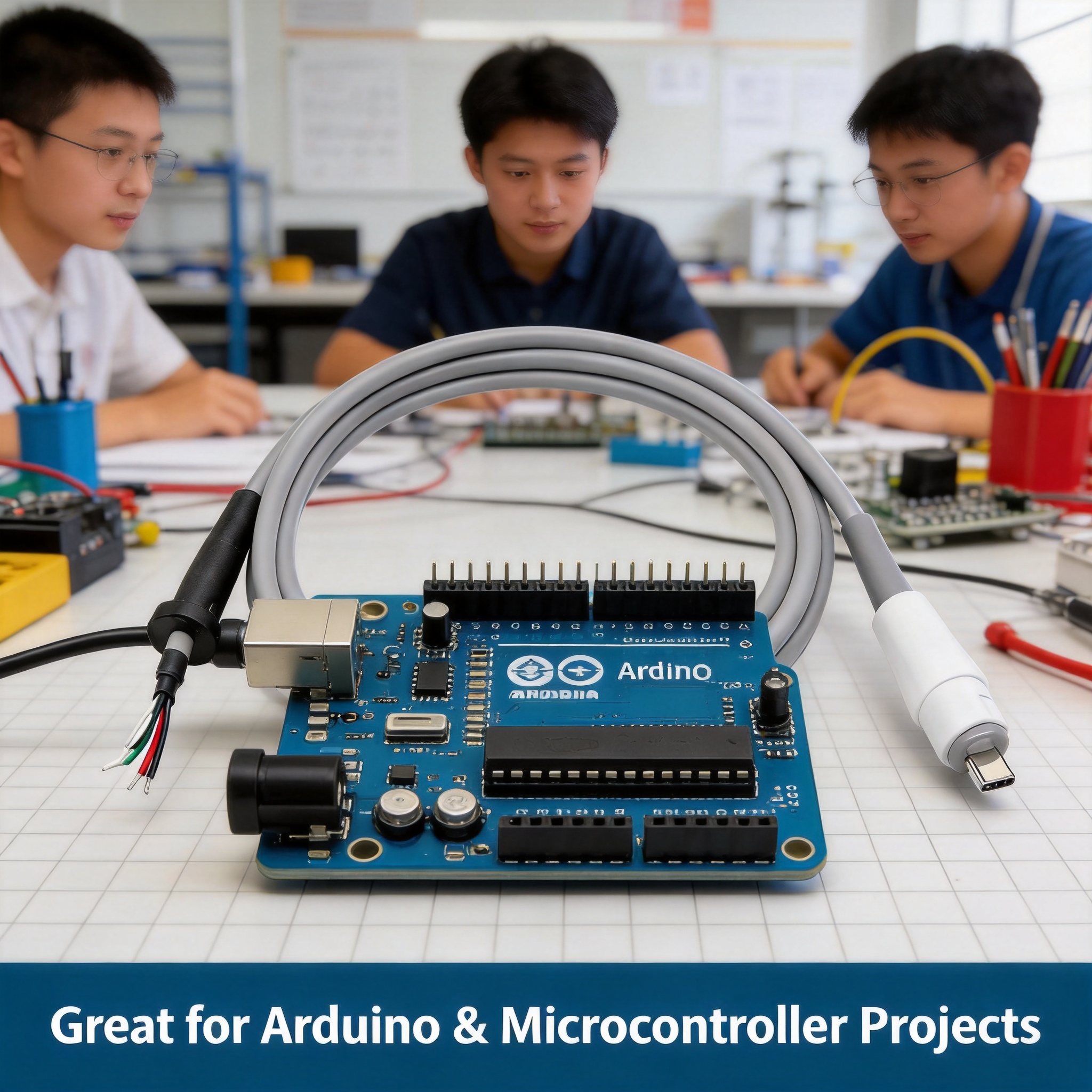
[Extra Scenario 1] DIY electronics lab scenario. Keep original product appearance. Show this USB-C bare wire cable connected to a DIY prototyping breadboard on an electronic workbench. Engineer's workspace with multimeter and tools in background. Add text "Perfect for Prototyping & DIY Projects" at bottom. All text in English. 1:1 square.
用户oCPM9UZl
[Extra Scenario 1] DIY electronics lab scenario. Keep original product appearance. Show this USB-C bare wire cable connected to a DIY prototyping breadboard on an electronic workbench. Engineer's workspace with multimeter and tools in background. Add text "Perfect for Prototyping & DIY Projects" at bottom. All text in English. 1:1 square.
用户oCPM9UZl
GD645190454
清理图片上的杂质,提升质感,立体感
qichao176589
用户oCPM9UZl
以上图片可以,删除专业商务风字样,删除硬件工程师后面的招聘字样
用户2SAxoNrk
产品使用场景示意图,展示本款航模电流计降压模块安装在FPV穿越无人机机架上的实际应用场景,产品已经接线安装好,周围是无人机机架和飞控等部件,背景虚化突出产品,科技感氛围,真实无人机安装场景,专业航模工作室环境
6a7nsqve6xk5j9w-HB
Technical specifications infographic for GM3U economic PLC. Layout: GM3U PLC board centered at a slight 3/4 angle, occupying about 50% of frame. Surrounding the product are clean parameter cards with thin leader lines pointing to specific areas: Top-left card pointing to terminal block area: 'DC24V NPN Input', Top-right card pointing to RS485 terminals: 'RS485 Communication', Left card pointing to DB9 port: 'RS232 Communication', Bottom-left card pointing to switch: 'STOP/RUN Switch', Bottom-right card pointing to relays: 'Relay Output'. Top of image has large title: 'GM3U Economic PLC' in bold white text, with subtitle 'Standard Switch I/O Controller' below. Background: dark charcoal gray with subtle diagonal tech lines, professional and clean. Bottom horizontal bar with 3 key specs: '24V DC Power', 'Compact Footprint', 'Cost Effective'. All text in English, modern technical sans-serif, white and cyan blue text. Keep PLC product appearance exactly consistent with input image. High information density, professional industrial infographic style. 1:1 square ratio.
GD205386750
[Re-generated Scenario 1] Open source hardware project scenario. Keep original product appearance. Show this USB-C bare wire cable connected to a raspberry pi development board on a clean white workbench. Modern maker space environment, soft lighting. Add text "Compatible with Open Source Hardware Projects" at bottom. All text in English. 1:1 square.
用户oCPM9UZl
[Re-generated Scenario 1] Open source hardware project scenario. Keep original product appearance. Show this USB-C bare wire cable connected to a raspberry pi development board on a clean white workbench. Modern maker space environment, soft lighting. Add text "Compatible with Open Source Hardware Projects" at bottom. All text in English. 1:1 square.
用户oCPM9UZl
[Re-generated Scenario 1] Open source hardware project scenario. Keep original product appearance. Show this USB-C bare wire cable connected to a raspberry pi development board on a clean white workbench. Modern maker space environment, soft lighting. Add text "Compatible with Open Source Hardware Projects" at bottom. All text in English. 1:1 square.
用户oCPM9UZl
删除第一张图中原有的右侧电路板,将第二张图中的红色电路板抠出来,放到第一张图片右侧原来电路板的位置,保持第一张图的整体风格、光影和背景一致
GD628393051
Industrial infographic showcasing GM3U PLC I/O specifications and multiple models. Layout: center shows the largest GM3U60 PLC board as hero product. Surrounding it in a clean matrix layout: smaller representations of GM3U10, GM3U14, GM3U20, GM3U30, GM3U40 models. Each model has a label below showing its model name and I/O count (e.g., '10 I/O Points', '14 I/O Points', '20 I/O Points', '30 I/O Points', '40 I/O Points', '60 I/O Points'). Top section has bold title 'Multiple I/O Configurations' in white text, with subtitle 'Choose the Right Size for Your Project' in lighter blue. Background: cool light gray gradient with subtle tech grid lines, professional industrial style. Bottom feature strip with 3 icons: Standard Switch I/O, NPN Input Type, Relay Output. All text in English, modern sans-serif. Keep all PLC product appearances exactly consistent with input images, maintaining correct size proportions between models. Clean, technical, high-quality commercial render. 1:1 square ratio.
GD205386750
用户oCPM9UZl
Key information product display poster, ratio 1:1, professional product layout with the three drone flight controller boards from reference images, each board appears once, aligned top bottom left right, no large blank areas, unified dark premium color scheme, not pitch black, all text in English including the four features: 1. "Easy to Install Fits standard mounting holes, no complex tools needed." 2. "Lightweight & Compact Slim design, won't weigh down your drone." 3. "Widely Compatible Works with most common receivers and drive modes." 4. "Ready to Use Comes with all necessary accessories, no extra purchase." high end e-commerce style
S5DGCJqT
Industrial application scene infographic for GM3U PLC controller. Scene: modern industrial control cabinet interior with the GM3U PLC mounted on a DIN rail, connected with neatly arranged wires. The PLC is the clear focal point, illuminated by soft workshop lighting. Background shows partial view of an electrical cabinet with other industrial components blurred in background (circuit breakers, power supply, wire ducts). Top overlay title in bold white text: 'Ready for Industrial Automation', with smaller subtitle 'Compact Design for Control Cabinets'. Right side has 3 vertical feature callouts with thin leader lines pointing to PLC: 'DC24V Power Supply', 'Standard Terminal Blocks', 'Stop/Run Switch'. Background tone: industrial cool gray with blue accent lighting. All text in English, clean technical sans-serif. Keep PLC product appearance exactly consistent with input image, realistic installation perspective, proper depth of field. Professional industrial photography quality, believable installation scene. 1:1 square ratio.
GD205386750
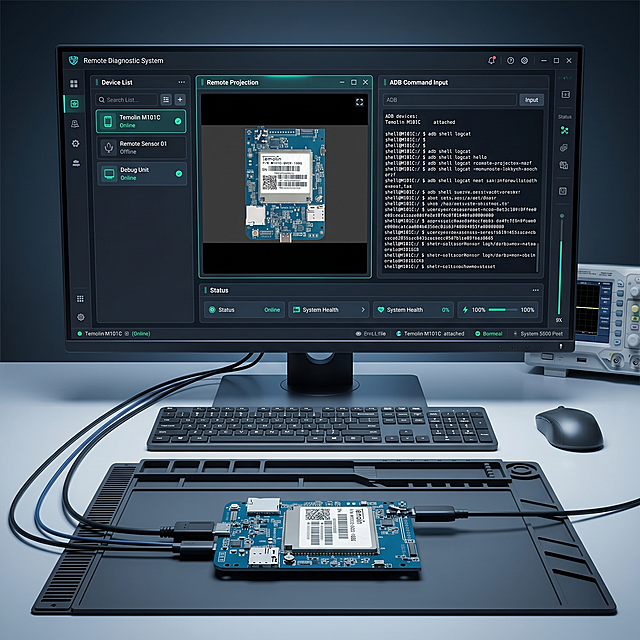
基于提供的开发板图片,生成电脑屏幕展示远程诊断系统界面的场景,界面需要包含设备列表、远程投影、ADB指令输入区域,保持开发板在画面中,整体为科技感电子设备界面展示场景,画质清晰。
GD689897803
Industrial technology style infographic for GM3U PLC, highlighting dual communication interfaces feature. Main visual: GM3U PLC board at slight angle on the right side, occupying about 55% of frame. Left side features large bold title 'Dual Communication Ports' in white sans-serif font. Below title, two feature blocks with icons: first block with RS232 icon and text '1 x RS232 Port', second block with RS485 icon and text '1 x RS485 Port'. Small subtitle below: 'Flexible Networking & Easy Integration'. Background: dark navy blue gradient with subtle circuit board pattern texture. Bottom horizontal bar with 3 small feature icons: DC24V Power, Standard I/O, Compact Design. All text in English, clean modern sans-serif typography, white and light blue text on dark background for strong contrast. Keep PLC product appearance exactly consistent with input image, no deformation. Professional industrial aesthetic, high information density, commercial photography quality. 1:1 square ratio.
GD205386750
用户oCPM9UZl
维修台上,升降台将一块沉重的工业控制主板(或服务器电源)升至舒适的维修高度460mm。台面上有防静电垫,维修探针正在检测电路。强光照射下,主板元件与升降台坚固的结构形成精密电子与重型机械的对比。。比例3:4
用户S8AimkJO
维修台上,升降台将一块沉重的工业控制主板(或服务器电源)升至舒适的维修高度460mm。台面上有防静电垫,维修探针正在检测电路。强光照射下,主板元件与升降台坚固的结构形成精密电子与重型机械的对比。。比例3:4
用户S8AimkJO
一张竖版儿童教育知识卡片海报设计,风格活泼可爱、色彩明亮,适合小学3-6年级学生阅读,与封面页保持统一的科技蓝+活力橙配色,背景有简单电路纹理。顶部左上角圆角标签写着"3/6",旁边标注"⭐ 入门级"。页面顶部小标题:"认识Mind+(上)"。【知识块1:Mind+是什么?】一段话:"Mind+是一款图形化编程软件,专门给Arduino写程序用的。不用敲代码,像搭积木一样,把指令拖进工作区拼在一起,就能告诉Arduino该做什么。就算不会写代码,也能做出很酷的项目!",配一个电脑屏幕上显示Mind+界面的卡通插图,旁边有个卡通人物在"搭积木"。【知识块2:Mind+有两种模式】重要区分,用对比表格:① 实时模式(Scratch模式):程序在电脑上运行,通过USB线实时控制Arduino,拔掉USB线Arduino就不工作了,适合快速测试调试。② 上传模式(Arduino模式)⭐我们用这个!:程序烧录到Arduino板子里的芯片中,拔掉USB线程序也能独立运行,做出来的作品可以脱离电脑独立工作。底部加粗提示:"我们要用的是上传模式!这样做出来的作品不用一直连着电脑,带着Arduino就能跑。",配一个对比图:实时模式(连着电脑)vs 上传模式(脱离电脑独立运行)。【知识块3:怎么切换到上传模式?】操作演示:"在Mind+界面顶部,有三个模式按钮:'实时模式'、'上传模式'←点这个!、'Python模式'。点击'上传模式'按钮,界面会变成Arduino风格的深色主题,这就切换成功啦!",配一个界面截图用箭头标注模式切换按钮的位置。【知识块4:怎么添加Arduino主控板?】标题带重要符号📌,"切换到上传模式后,主页面是空的,需要添加主控板:"第一步:点击界面左下角的'扩展'按钮。第二步:在弹出的窗口中,找到并点击'主控板'。第三步:在主控板列表中,找到"Arduino Uno",点击它。第四步:主页面就会出现一个"Uno主程序"积木,这就是程序的起点!配一个四步操作流程图:扩展→主控板→Arduino Uno→出现Uno主程序积木。【底部:记住就行⚠️ 两条提醒】1. 用上传模式:程序烧录到板子里,脱离电脑也能运行 2. 先添加主控板:扩展→主控板→Arduino Uno,才会出现Uno主程序。【最底部:今日口诀💡】"Mind+两模式,上传模式最实用;程序烧进板子里,拔掉电脑也能动;扩展里找主控板,Uno主程序是起点!"。底部角落位置放置一行文字"关注我,每天学习新知识!",搭配可爱卡通插图,不放置二维码。整体设计:内容分区清晰,每个知识块用不同颜色的圆角卡片包裹,配有Mind+界面操作插图和添加主控板步骤图,文字大且清晰,适合打印A4竖版,不包含任何二维码。画面中所有信息区域必须填充完整合理的内容,不得出现空白框、空白占位。画面中所有数字必须精确渲染,不得错位、遗漏或编造。
1qjojk5i6mtsqsjg-HB
去除图片中所有外围的橙色标注线和橙色文字标注,只保留中间的蓝色电路板本体,电路板上的原有元件、丝印、文字全部保留不变,背景为纯白色,画面干净清晰,无任何外围标注
simple yet
保留画面中的两个电子硬件模块,完全移除画面中所有的文字、图案、尺寸标注线、logo标识等所有额外元素,背景替换为纯白色,硬件的细节和质感保持完整清晰
黄豆X


![[Extra Scenario 1] DIY electronics lab scenario. Keep original product appearance. Show this USB-C bare wire cable connected to a DIY prototyping breadboard on an electronic workbench. Engineer's workspace with multimeter and tools in background. Add text "Perfect for Prototyping & DIY Projects" at bottom. All text in English. 1:1 square.](https://gd-cms.dancf.com/gd-cms/xi19e5/0/acc327ce-d959-4d51-8791-0ff05b2c10d07435.png?x-oss-process=image/resize,w_640,type_6/sharpen,120/interlace,1)
![[Extra Scenario 1] DIY electronics lab scenario. Keep original product appearance. Show this USB-C bare wire cable connected to a DIY prototyping breadboard on an electronic workbench. Engineer's workspace with multimeter and tools in background. Add text "Perfect for Prototyping & DIY Projects" at bottom. All text in English. 1:1 square.](https://gd-cms.dancf.com/gd-cms/xi19e5/0/d38040b5-111f-4acb-8749-0d852a7a131e7293.png?x-oss-process=image/resize,w_640,type_6/sharpen,120/interlace,1)


![[Re-generated Scenario 1] Open source hardware project scenario. Keep original product appearance. Show this USB-C bare wire cable connected to a raspberry pi development board on a clean white workbench. Modern maker space environment, soft lighting. Add text "Compatible with Open Source Hardware Projects" at bottom. All text in English. 1:1 square.](https://gd-cms.dancf.com/gd-cms/xi19e5/0/8bc521c0-3039-4601-b20f-9c61f41ac2357241.jpeg?x-oss-process=image/resize,w_640,type_6/sharpen,120/interlace,1)
![[Re-generated Scenario 1] Open source hardware project scenario. Keep original product appearance. Show this USB-C bare wire cable connected to a raspberry pi development board on a clean white workbench. Modern maker space environment, soft lighting. Add text "Compatible with Open Source Hardware Projects" at bottom. All text in English. 1:1 square.](https://gd-cms.dancf.com/gd-cms/xi19e5/0/e4e59534-2443-449e-911c-de34d855229a7142.jpeg?x-oss-process=image/resize,w_640,type_6/sharpen,120/interlace,1)
![[Re-generated Scenario 1] Open source hardware project scenario. Keep original product appearance. Show this USB-C bare wire cable connected to a raspberry pi development board on a clean white workbench. Modern maker space environment, soft lighting. Add text "Compatible with Open Source Hardware Projects" at bottom. All text in English. 1:1 square.](https://gd-cms.dancf.com/gd-cms/xi19e5/0/2dcb9209-340a-4742-8eb9-aa4eff0301d5912.jpeg?x-oss-process=image/resize,w_640,type_6/sharpen,120/interlace,1)